Mainframe Tutorial
 JCL Tutorial
 Introduction
 Mainframe Tips & Tricks
 Mainframe Interview Q&A
 Troubleshooting
 Mainframe Quiz
 Mainframe Online Tests
 Mainframe Jokes/Memes
 Mainframe Tools
 Contact us
 About us
ISPF Tips & Tricks
 Backward

Find which PDS holds a member with the MEMBER command
For one of the production issue I know the name of mainframe element (member) but I don’t know in which PDS it resides
Solution
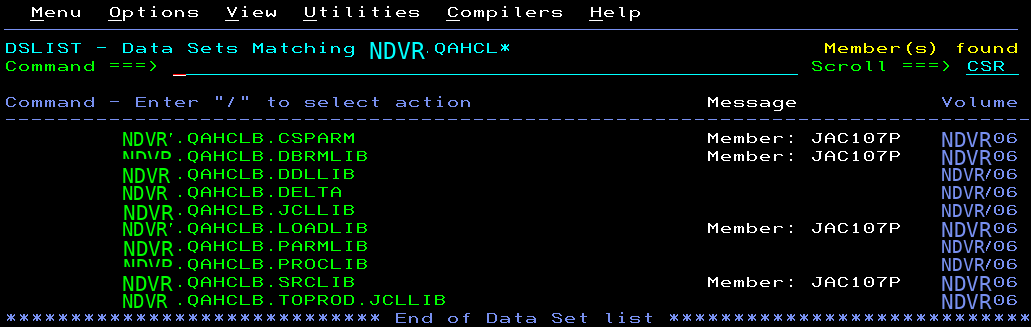
In such case, we can issue MEMBER command when multiple PDS are displayed on screen as shown below
Syntax
“MEMBER<space>MEM_NAME “ OR “M<space>MEM_NAME “
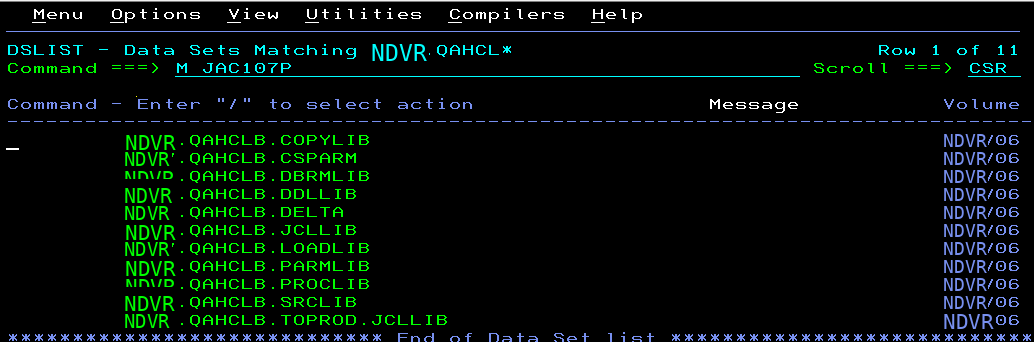
When you will press enter, search will be done and on completion it will display message column if member is available in that particular PDS