
 Mainframe Tutorial
 JCL Tutorial
 Introduction
 Mainframe Tips & Tricks
 Mainframe Interview Q&A
 Troubleshooting
 Mainframe Quiz
 Mainframe Online Tests
 Mainframe Jokes/Memes
 Mainframe Tools
 Contact us
 About us
Module 5: DB2 SQL SELECT and Filtering
 Backward

WHERE Clause
Every SELECT you have seen so far reads the whole table. In real work you almost never want all the rows. The WHERE clause filters rows - it keeps only the rows that satisfy your condition.
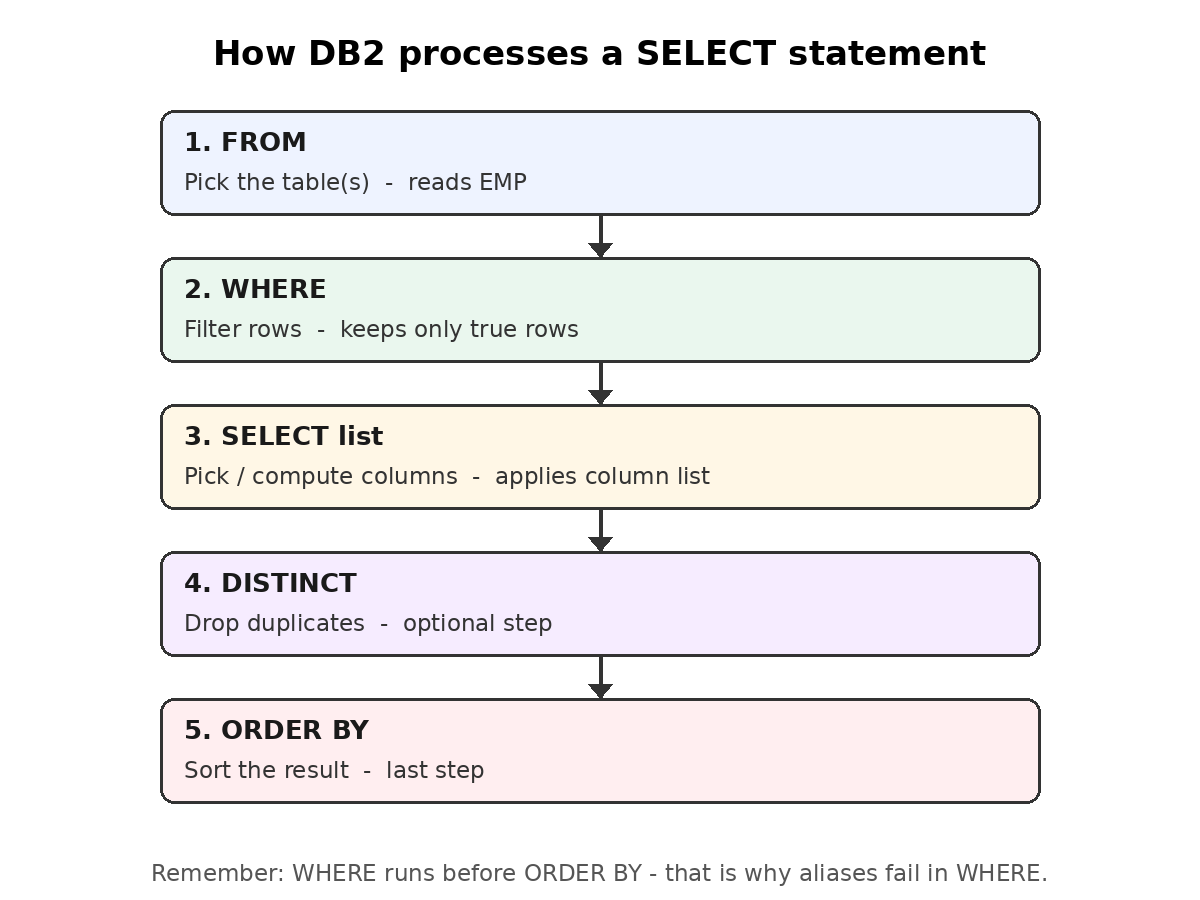
The diagram above shows the order in which DB2 processes a SELECT statement. Notice that WHERE filters rows before the column list is evaluated and before ORDER BY sorts anything. This order explains many common errors, as you will see below.
What the WHERE clause does
- WHERE comes after the FROM clause in a SELECT statement.
- It tests each row of the table against a search condition.
- Only rows for which the condition is true are returned.
- Rows for which the condition is false - or unknown - are dropped from the result.
- Without WHERE, SELECT returns every row of the table.
The search condition
- A search condition is one or more predicates joined by AND, OR, NOT.
- A predicate is a simple comparison, for example SALARY > 35000.
- Column names in the condition usually come from the table named in FROM.
- Constants are compared with the column - character constants go in single quotes.
- WHERE can be used in SELECT, UPDATE and DELETE statements.
WHERE is evaluated before anything else
- DB2 applies WHERE right after reading the table, before sorting or de-duplicating.
- That is why you can use a plain column name in WHERE, but not a column alias defined in the SELECT list.
- Filtering early keeps the query fast - fewer rows travel through the rest of the statement.
- If no row satisfies the condition, the query runs fine and returns an empty result.
Example
SELECT EMPNO, LASTNAME, SALARY
FROM EMP
WHERE SALARY > 35000;
-- Result: only employees earning more than 35000
EMPNO LASTNAME SALARY
------ -------- ------
000010 HAAS 52750
000030 KWAN 38250
000050 GEYER 40175