
 Mainframe Tutorial
 JCL Tutorial
 Introduction
 Mainframe Tips & Tricks
 Mainframe Interview Q&A
 Troubleshooting
 Mainframe Quiz
 Mainframe Online Tests
 Mainframe Jokes/Memes
 Mainframe Tools
 Contact us
 About us
Module 3: CICS Transactions and Commands
 Backward

Transaction Lifecycle
A CICS transaction is born when a task starts, lives while the program runs, and dies when the program returns control for the last time. The diagram below shows the full lifecycle.
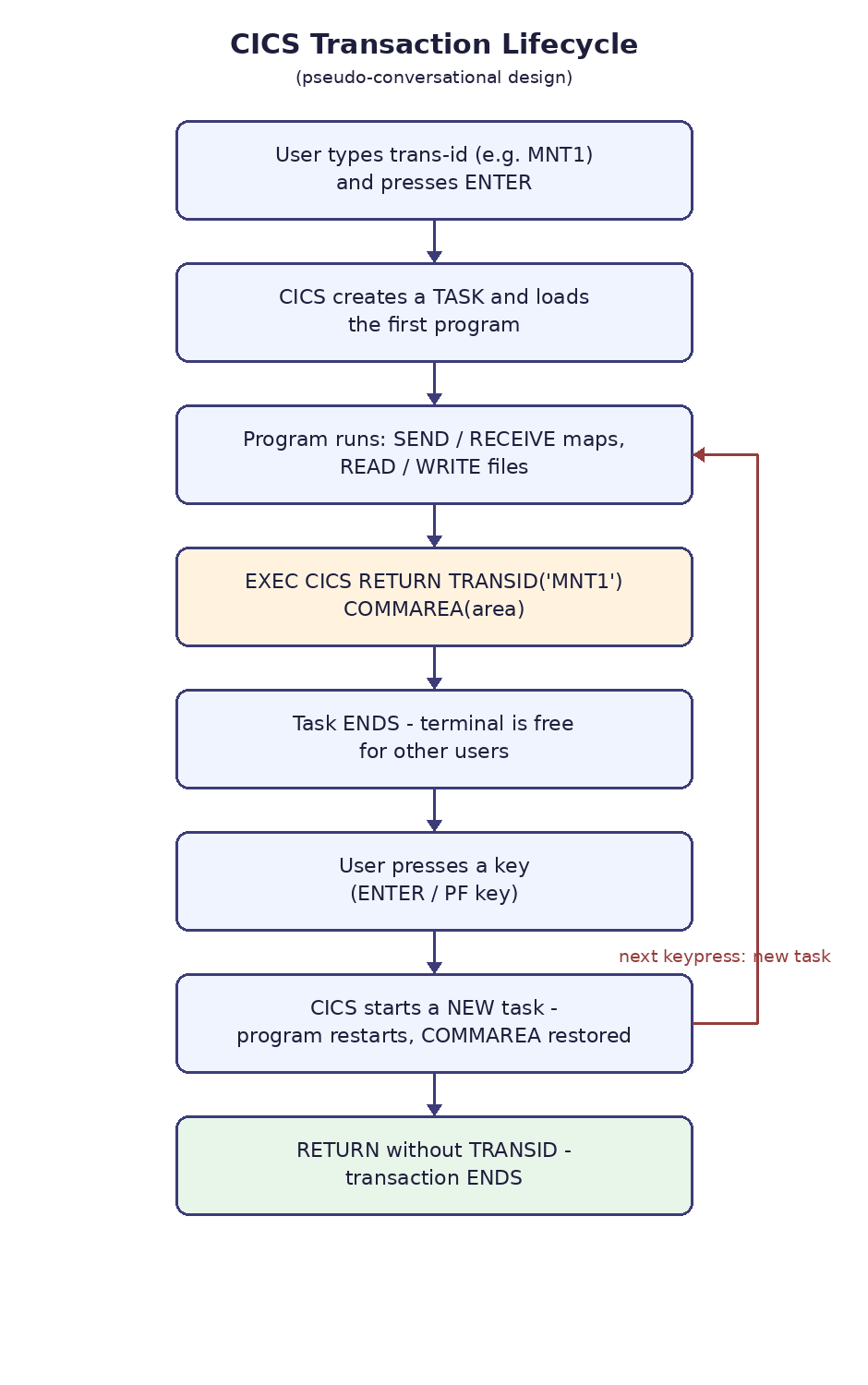
How a transaction starts
- The user types a trans-id, or a program issues a START or XCTL command.
- CICS creates a task — the runtime instance that will run the program.
- CICS loads the first program named on the TRANSACTION definition and gives it control.
- On the very first run there is no COMMAREA yet, so EIBCALEN is zero and the program shows the first screen.
What happens while it runs
- The program talks to the terminal with SEND MAP and RECEIVE MAP, and reads or updates files and databases.
- Every EXEC CICS command is a service request that CICS handles for the task.
- In a pseudo-conversational design the program does its work for one screen, then ends the task with RETURN TRANSID.
- The task ends but the transaction is not over — CICS remembers which trans-id to restart when the user responds.
How a transaction ends
- Pseudo-conversational step: RETURN with the TRANSID option ends the task and frees all its resources; the terminal is free for other users while this user thinks.
- When the user presses ENTER or a PF key, CICS starts a new task for the same transaction and restores the COMMAREA.
- Final end: RETURN without the TRANSID option ends the transaction completely — no restart happens.
- A conversational program instead just waits for the user with the task alive, which wastes CICS resources and is avoided in good design.
- Example of the RETURN that continues the lifecycle:-
EXEC CICS RETURN TRANSID('MNT1') COMMAREA(CA-AREA) END-EXEC. *--- Task ends here. The next keypress restarts the * transaction as a brand-new task with CA-AREA restored ---*