Mainframe Tutorial
 JCL Tutorial
 Introduction
 Mainframe Tips & Tricks
 Mainframe Interview Q&A
 Troubleshooting
 Mainframe Quiz
 Mainframe Online Tests
 Mainframe Jokes/Memes
 Mainframe Tools
 Contact us
 About us
ISPF Tips & Tricks
 Backward

Edit the clipboard and use named clipboards (CUT DISPLAY)
Trust me this one is very interesting. It contains two tricks on how we can play with Clipboard
As we all know in Mainframe we can COPY/PASTE content using CUT and PASTE Command. CUT is used to copy the selected content to Clipboard and PASTE command is used to paste the content from Clipboard.
But what if we want to edit the content of copied content. Is it possible to edit Clipboard Content? Also what if I want to maintain multiple clipboards?
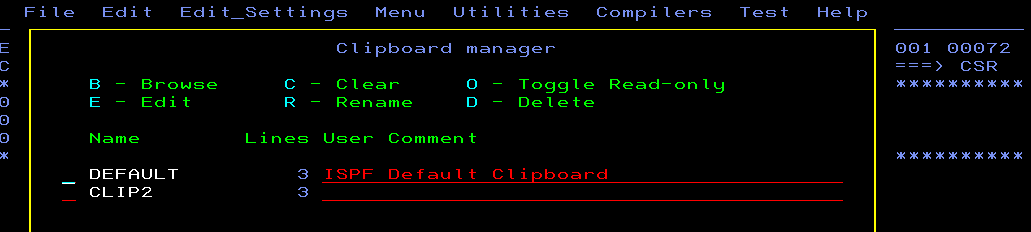
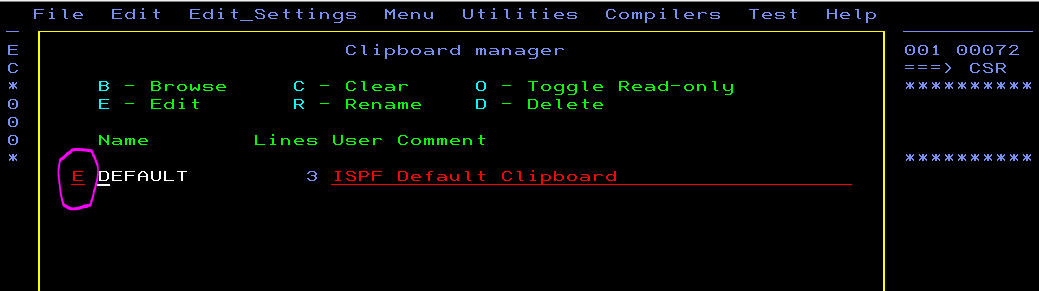
Solution: - Yes, clipboard content can be browsed or edited by passing “CUT DISPLAY” command. Once you pass “CUT DISPLAY” command. Below screen will be displayed. You can pass “E” against DEFAULT to edit clipboard content
Now what if I want to copy multiple set of text in different clipboard? This is possible in mainframe. As we see in above screenshot when we do normal CUT, content gets copied to DEFAULT clipboard, so we want one more clipboard we can assign name to it while we issue CUT command as shown below:-

Once I have passed “CUT CLIP2” above contents will get copied to clipboard “CLIP2”. Now if when I want to paste it I can issue “PASTE CLIP2” command to paste the copied content. To edit the content of CLIP2 clipboard you can again issue CUT DSIPLAY command, this time below pop-up came up