
 Mainframe Tutorial
 JCL Tutorial
 Introduction
 Mainframe Tips & Tricks
 Mainframe Interview Q&A
 Troubleshooting
 Mainframe Quiz
 Mainframe Online Tests
 Mainframe Jokes/Memes
 Mainframe Tools
 Contact us
 About us
Module 1: CLIST Introduction
 Backward

CLIST- Introduction
CLIST (pronounced "see-list") stands for TSO Command List. It is the original scripting language of TSO/E: a member of a partitioned dataset that contains TSO commands mixed with programming statements. When you run it, TSO reads the member line by line, replaces symbolic variables, evaluates built-in functions, and executes each resulting TSO command.
What is CLIST?
- A CLIST is stored as a member of a PDS, usually with RECFM FB and LRECL 80, just like JCL or source code.
- Each line is either a TSO command (ALLOC, LISTDS, SUBMIT), a CLIST statement (PROC, SET, IF, DO), or a comment.
- CLISTs are interpreted, not compiled: TSO processes every line at run time, so you can edit and re-run immediately.
- Typical uses: automating logon chores, dataset housekeeping, batch job submission menus, and ISPF dialog support.
- Comments start with /* and end with */, and can span multiple lines.
PROC 0
WRITE TODAY IS &SYSDATE
LISTDS
CLIST vs REXX
- REXX is the newer, more powerful language; CLIST is older and simpler, with weaker string and math support.
- Choose CLIST when the task is mostly "issue these TSO commands with a little logic around them".
- Choose REXX when you need real arithmetic, parsing, file I/O, or complex data structures.
- Both can live in SYSPROC/SYSEXEC libraries and both can call each other.
- Millions of lines of production CLIST still run daily, so reading CLIST is a required mainframe skill even if you write new code in REXX.
The PROC statement
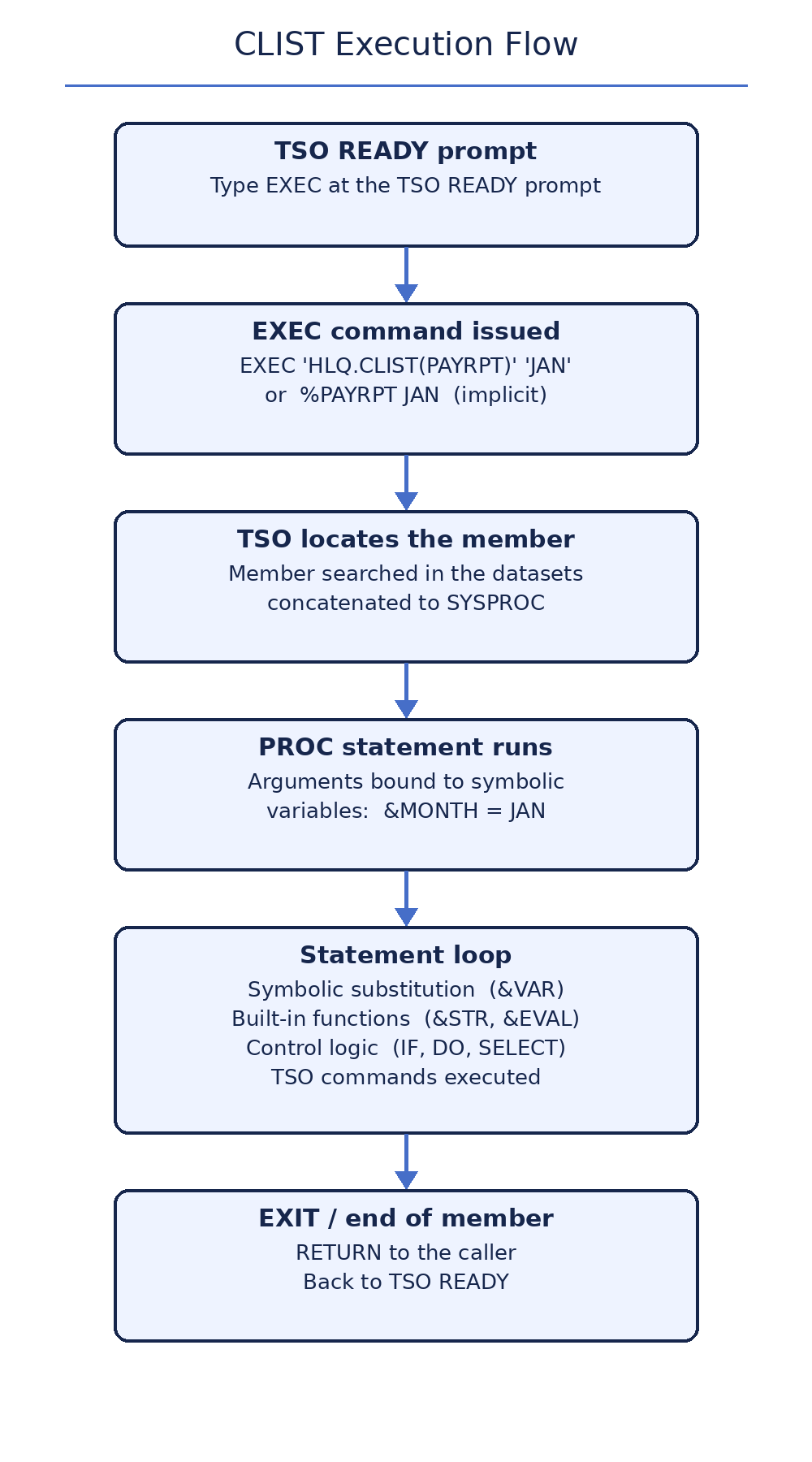
PROC must be the first statement of a CLIST. It declares how many positional arguments the CLIST accepts, or defines keyword-style arguments. If you omit PROC, TSO assumes PROC 0.
- PROC 0 means the CLIST takes no arguments.
- PROC 1 DSN means one required positional argument, stored in &DSN.
- PROC 2 DSN MEMBER means two required positional arguments, &DSN and &MEMBER.
- PROC 2 DSN() MEMBER() defines keyword arguments, passed as DSN(MY.DATA) MEMBER(X).
- A trailing EXEC keyword on the EXEC command forces TSO to run the member as a CLIST even if a REXX exec has the same name.
PROC 1 DSN /* %BKUP MY.DATA -> &DSN = MY.DATA */
PROC 2 DSN() MEMBER() /* keyword style */
/* %COPY DSN(MY.DATA) MEMBER(X) */
Writing your first CLIST
Create a PDS such as USER1.CLIST, then add a member named HELLO with the lines below (ISPF edit option 2, keep CAPS ON). WRITE displays text, READ prompts for input into a symbolic variable, and EXIT ends the CLIST.
PROC 0
CONTROL NOMSG
WRITE ****************************************
WRITE * HELLO FROM YOUR FIRST CLIST *
WRITE ****************************************
READ &NAME PROMPT(PLEASE ENTER YOUR NAME:)
WRITE NICE TO MEET YOU, &NAME
EXIT
Running it produces output like this:
* HELLO FROM YOUR FIRST CLIST *
****************************************
PLEASE ENTER YOUR NAME: JOHN
NICE TO MEET YOU, JOHN
READY
Running a CLIST
- Explicit form: EXEC 'USER1.CLIST(HELLO)' runs member HELLO from that PDS. Quote the dataset name so your TSO prefix is not added.
- With arguments: EXEC 'USER1.CLIST(PAYRPT)' 'JAN 2026' passes JAN and 2026 as positional arguments.
- Implicit form: %HELLO works if the PDS is allocated to SYSPROC; TSO searches the SYSPROC concatenation for the member.
- Add your own library with: ALLOC F(SYSPROC) DA('USER1.CLIST') SHR - after that, %HELLO finds your member.
- Your logon procedure already concatenates system CLIST libraries to SYSPROC; ALLOC just adds yours to the search order.
EXEC 'USER1.CLIST(PAYRPT)' 'JAN 2026' EXEC
%HELLO
ALLOC F(SYSPROC) DA('USER1.CLIST') SHR
Essential statements to know first
- WRITE text - displays text on the terminal. Symbolic variables inside are replaced first.
- WRITENR text - writes without moving to a new line, handy before a READ.
- READ &VAR PROMPT(message) - displays the prompt and stores the reply in &VAR.
- SET &VAR = value - assigns a value to a symbolic variable.
- CONTROL NOMSG - suppresses informational messages from TSO commands inside the CLIST.
- A plus sign (+) as the last character continues a statement on the next line.
WRITE WORKING WITH &DSN
WRITENR PRESS ENTER TO CONTINUE:
READ &DUMMY