
 Mainframe Tutorial
 JCL Tutorial
 Introduction
 Mainframe Tips & Tricks
 Mainframe Interview Q&A
 Troubleshooting
 Mainframe Quiz
 Mainframe Online Tests
 Mainframe Jokes/Memes
 Mainframe Tools
 Contact us
 About us
ISPF Tips & Tricks
 Backward

Change a member's USER ID with the G line command
You will feel this trick is something similar to hacking; Let’s see how we can change the USER ID of any MEMBER of any PDS file
As shown below just issue “G” in front of member name

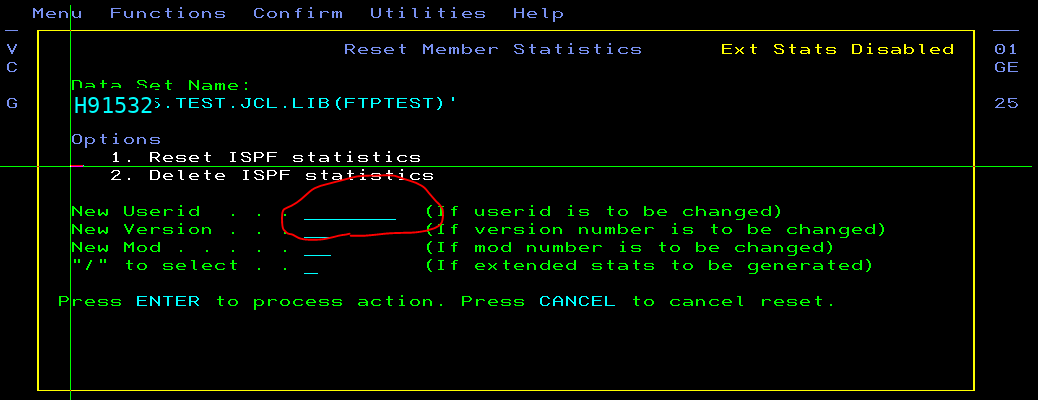
Once you press enter, you will see ISPF Member Statistics, type New Userid in highlighted field and enter “1” in Options input line and you are done
After changes:-
