Mainframe Tutorial
 JCL Tutorial
 Introduction
 Mainframe Tips & Tricks
 Mainframe Interview Q&A
 Troubleshooting
 Mainframe Quiz
 Mainframe Online Tests
 Mainframe Jokes/Memes
 Mainframe Tools
 Contact us
 About us
ISPF Tips & Tricks
 Backward

Find PDS members by pattern with 4.12
Sometimes we face situation where we need find the member in PDS having some kind of string in between. For example I have one Library Say “ENDV.QA.JCLLIB” and that have some members like ERXP901, LDAP942, LDAT100 etc.
Now from above specified library I want to find list of members that have STRING XP9 in between its name
Solution
Go to option 4.12 from home screen
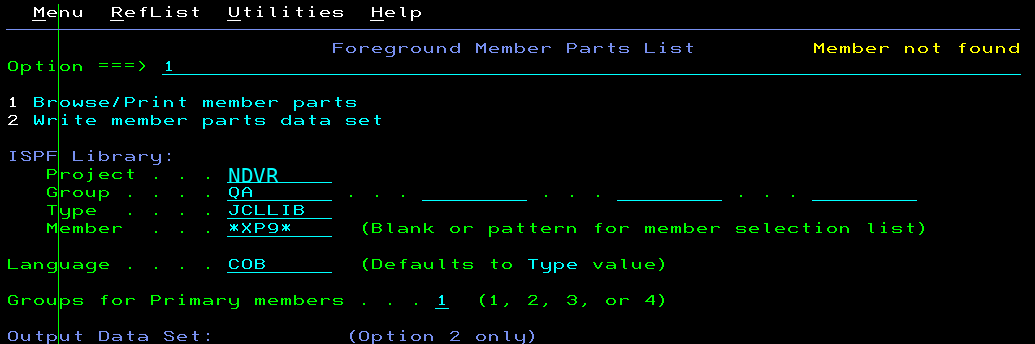
Below is how I have inputted to get members based on specified pattern
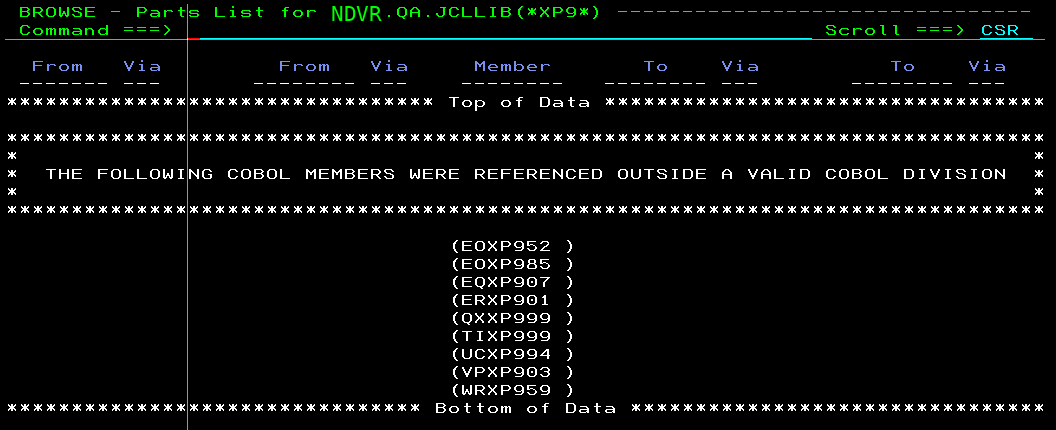
Once you provide above details, you can see it will start executing and on completion it will bring out the screen as shown below